
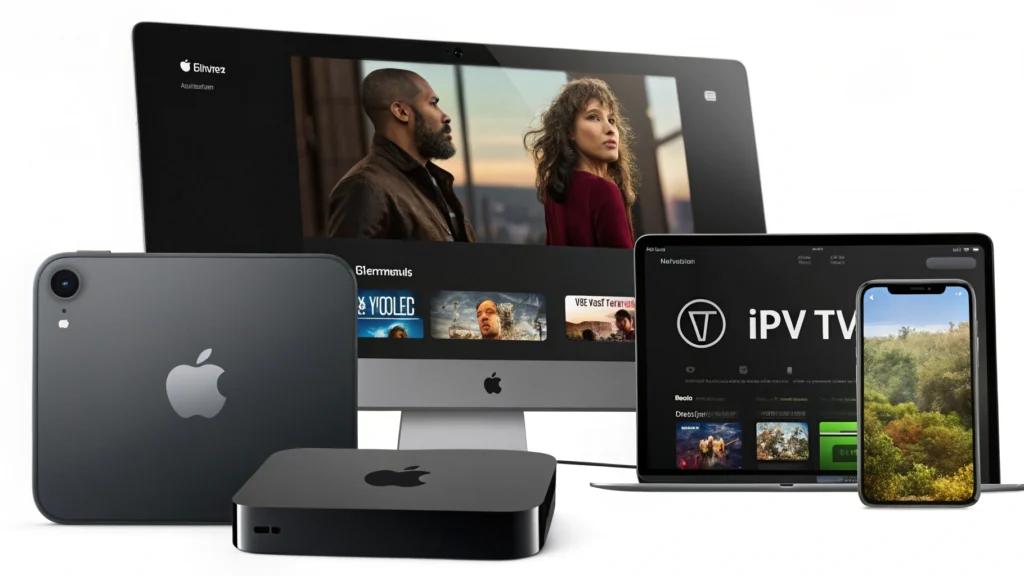
The digital streaming landscape continues to evolve rapidly, and Internet Protocol Television (IPTV) has emerged as a popular alternative to traditional cable subscriptions. For Apple device users seeking to access a world of content through IPTV services, having the right IPTV player is essential. An IPTV player is an application that allows you to stream television content over an internet connection rather than through conventional broadcast methods.
Apple’s ecosystem, known for its seamless integration, security, and user-friendly interface, presents unique considerations when choosing an IPTV player. Whether you’re using an iPhone, iPad, or Apple TV, the right IPTV player can transform your streaming experience, providing access to thousands of channels from around the world with exceptional clarity and convenience.
In 2025, several IPTV players stand out for their compatibility with Apple devices, offering features specifically designed to complement iOS, iPadOS, and tvOS. This comprehensive guide explores the seven best IPTV players for Apple devices, helping you navigate the options and select the one that best suits your streaming needs.
Benefits of IPTV Players for Apple Devices
Superior Streaming Quality
Apple devices are renowned for their high-resolution displays and powerful processors. The best IPTV players for Apple devices leverage these hardware advantages to deliver crisp, clear streaming experiences. Many support up to 4K resolution, ensuring you get the most out of your device’s display capabilities. Additionally, these players often include buffer management technology to reduce interruptions, even when your internet connection fluctuates.
Intuitive Navigation
Apple users expect elegance and simplicity in their software experiences. Top-tier IPTV players for Apple devices feature intuitive interfaces that align with Apple’s design philosophy. This includes easy-to-navigate channel lists, customizable favorites, and gesture controls that feel natural to anyone familiar with iOS or tvOS. The result is a viewing experience that feels like a natural extension of your device rather than a third-party add-on.
Seamless Apple Ecosystem Integration
One of the most significant advantages of specialized IPTV players for Apple devices is their integration with the broader ecosystem. Many support features like AirPlay for casting content from your iPhone or iPad to your Apple TV. Some integrate with Apple’s Screen Time features for parental controls, while others support picture-in-picture viewing for multitasking on your iPad. This ecosystem compatibility ensures that your IPTV experience works harmoniously with your other Apple services and devices.
7 Best IPTV Players for Apple Devices
1. CalmaHUB
CalmaHUB has quickly risen to prominence as one of the most reliable and feature-rich IPTV players for Apple devices in 2025. This application stands out for its clean, minimalist interface that feels right at home on iOS, iPadOS, and tvOS.
Key Features:
- Multi-screen viewing with up to four simultaneous streams
- Advanced EPG (Electronic Program Guide) with 7-day scheduling
- Automatic content categorization
- Cloud DVR functionality for recording live TV
- Customizable interface with various themes
- Integrated content search across all your subscriptions
Pros:
- Exceptionally smooth playback on all Apple devices
- Regular updates that align with Apple’s OS updates
- Low memory footprint, even when running in the background
- Excellent customer support with rapid response times
- Supports both M3U playlists and Xtream Codes
Cons:
- Some advanced features require in-app purchases
- Initial setup might be complex for beginners
- Limited customization options compared to some alternatives
Device Compatibility:
- iOS: 15.0 and later
- iPadOS: 15.0 and later
- tvOS: 15.0 and later
- macOS: 12.0 (Monterey) and later
CalmaHUB excels at providing a premium IPTV experience that feels like a native Apple application. Its attention to detail regarding the Apple ecosystem makes it particularly valuable for users with multiple Apple devices.
2. iPlay TV
iPlay TV has established itself as a versatile IPTV player with particular strengths in user interface design and playlist management. Its Apple-centric approach makes it especially appealing for users deeply invested in the Apple ecosystem.
Key Features:
- Sleek, Apple-inspired interface with dark mode support
- Powerful playlist organization with folders and tags
- Catch-up TV for supported channels
- Integrated channel filtering by category, language, or content type
- Picture-in-picture support on compatible devices
- Automatic metadata retrieval for channels and shows
Pros:
- Extremely intuitive for Apple users, minimal learning curve
- Excellent stability with rare crashes
- Sophisticated EPG interface with rich information
- Support for external players for specialized content
- Regular feature updates based on user feedback
Cons:
- Slightly higher resource usage than some competitors
- Some users report occasional EPG synchronization issues
- Limited advanced customization options
Device Compatibility:
- iOS: 14.0 and later
- iPadOS: 14.0 and later
- tvOS: 14.0 and later
iPlay TV offers a refined experience that feels premium and purposeful. Its attention to playlist management makes it excellent for users with extensive IPTV subscriptions or those who frequently switch between different content sources.
3. IPTV Smarters Pro
IPTV Smarters Pro remains one of the most widely used and respected IPTV players across all platforms, with its Apple versions receiving particular attention to ensure they meet the ecosystem’s high standards. This player balances robust features with accessibility.
Key Features:
- Comprehensive support for multiple playlist formats
- Advanced parental controls with PIN protection
- Multi-screen layout options for sports and news monitoring
- Detailed analytics on viewing habits and stream quality
- Live chat support integration
- Extensive EPG customization options
Pros:
- Exceptional compatibility with various IPTV providers
- Strong community support with frequent updates
- Well-optimized for both newer and older Apple devices
- Minimal buffering even on crowded networks
- Excellent multi-language support
Cons:
- Interface can appear slightly cluttered on smaller iPhones
- Advanced features may overwhelm casual users
- Occasional advertisements in the free version
Device Compatibility:
- iOS: 13.0 and later
- iPadOS: 13.0 and later
- tvOS: 13.0 and later
IPTV Smarters Pro strikes an excellent balance between power-user features and accessibility. Its longevity in the market has allowed it to refine its offering with particular attention to reliability and compatibility across the Apple device range.
4. GSE Smart IPTV Player
GSE Smart IPTV Player has built a loyal following among Apple users who value flexibility and customizability. Its comprehensive feature set and powerful configuration options make it a favorite among technical users while remaining accessible to newcomers.
Key Features:
- Highly customizable user interface
- Support for XtreamCodes, M3U, and local network streams
- Powerful filtering system for channel management
- Built-in web browser for accessing portal-based services
- Advanced playlist editing tools
- Extensive codec support for various content types
Pros:
- Extremely versatile with support for multiple protocols
- Works exceptionally well on Apple TV
- Powerful search functionality across all content
- Excellent handling of large playlists without performance degradation
- Regular security updates
Cons:
- Interface can be intimidating for new users
- Some settings buried in complex menus
- Occasional stability issues with certain stream types
Device Compatibility:
- iOS: 12.0 and later
- iPadOS: 12.0 and later
- tvOS: 12.0 and later
GSE Smart IPTV Player offers perhaps the most comprehensive set of features among IPTV players for Apple devices. Its technical prowess makes it particularly suitable for users who want granular control over their streaming experience.
5. CloudStream IPTV Player
CloudStream IPTV Player represents the new generation of IPTV applications designed with cloud integration at their core. This approach offers unique advantages for Apple users who frequently switch between devices.
Key Features:
- Cloud-based playlist synchronization across all devices
- AI-powered content recommendations
- Adaptive streaming quality based on network conditions
- Automatic background updating of channel information
- Integration with Apple’s iCloud for backup
- Smart categorization of content with customizable tags
Pros:
- Seamless transition between Apple devices
- Excellent energy efficiency, especially on mobile devices
- Fast startup and channel switching times
- Innovative AI features that learn viewing preferences
- Clean, modern interface with thoughtful animations
Cons:
- Requires internet connection for initial setup
- Some cloud features require subscription
- Newer on the market with some features still in development
Device Compatibility:
- iOS: 15.0 and later
- iPadOS: 15.0 and later
- tvOS: 15.0 and later
- macOS: 12.0 (Monterey) and later
CloudStream IPTV Player represents the future of IPTV applications with its cloud-first approach. For Apple users who value synchronization across devices and cutting-edge features, it offers a compelling package despite being relatively new to the market.
6. IPTV X
IPTV X has established itself as the performance-focused option for Apple devices, with particular attention to optimization for the latest hardware. Its streamlined approach prioritizes speed and reliability over extensive feature lists.
Key Features:
- Hardware-accelerated video decoding
- Minimalist, gesture-based interface
- Intelligent bandwidth management
- Quick channel switching with preview
- Specialized Apple TV remote integration
- Optimized EPG loading for instant access
Pros:
- Exceptional performance on newer Apple devices
- Extremely fast channel loading times
- Battery-efficient design for mobile devices
- Clean viewing experience with minimal distractions
- Excellent stability with very few crashes
Cons:
- Fewer customization options than some competitors
- Limited support for older Apple devices
- Some users find the minimalist approach too sparse
Device Compatibility:
- iOS: 16.0 and later
- iPadOS: 16.0 and later
- tvOS: 16.0 and later
IPTV X caters to users who prioritize performance and simplicity above all else. Its focus on speed and efficiency makes it particularly well-suited for the latest Apple devices, where it can take full advantage of the advanced hardware capabilities.
7. Flex IPTV
Flex IPTV rounds out our list as the most adaptable option, designed to bend to the user’s preferences rather than imposing a specific workflow. This flexibility makes it particularly valuable in multi-user households.
Key Features:
- Multiple user profiles with individual settings
- Extensive theme support including dynamic themes
- Advanced scheduling and reminders
- Robust subtitle and audio track support
- Channel grouping with custom organization
- Integrated content rating system
Pros:
- Highly adaptable to different user preferences
- Excellent for households with multiple viewers
- Strong accessibility features
- Great performance across the Apple device range
- Intuitive playlist management
Cons:
- Initial setup requires more configuration than some alternatives
- Some users report occasional EPG accuracy issues
- Interface can appear busy with all features enabled
Device Compatibility:
- iOS: 14.0 and later
- iPadOS: 14.0 and later
- tvOS: 14.0 and later
Flex IPTV lives up to its name by offering perhaps the most customizable experience among Apple-compatible IPTV players. Its adaptability makes it suitable for a wide range of users, from casual viewers to dedicated media enthusiasts.
How to Choose the Right IPTV Player for Your Apple Device
Selecting the ideal IPTV player for your Apple devices involves considering several factors that align with your specific needs and usage patterns:
User Interface and Experience
Apple users typically value clean, intuitive interfaces that follow familiar design patterns. Consider how comfortable you feel navigating the app, especially on smaller screens like iPhones. Some players, like iPlay TV and IPTV X, prioritize an Apple-like experience, while others offer more customization at the expense of simplicity.
Playlist and Format Support
Different IPTV services provide content in various formats. Ensure your chosen player supports the specific format your service uses, whether it’s M3U playlists, Xtream Codes, or another protocol. Players like GSE Smart IPTV Player and IPTV Smarters Pro excel in format compatibility.
Apple TV Compatibility
If you plan to use your IPTV service on Apple TV, verify that the player offers a native tvOS app rather than requiring AirPlay from another device. The experience between these two approaches differs significantly, with native apps like CalmaHUB and IPTV X offering superior performance on Apple TV.
Performance Considerations
Evaluate how the IPTV player performs on your specific Apple devices. Newer applications may require more recent hardware to run optimally. Players like CloudStream and IPTV X are optimized for newer devices, while GSE Smart IPTV Player works well even on older Apple hardware.
Additional Features
Consider which extra features matter most to you. If recording capabilities are important, CalmaHUB’s DVR functionality might be decisive. For households with children, IPTV Smarters Pro’s parental controls could be essential. Multi-screen viewing, available in several of our top picks, might be crucial for sports enthusiasts.
Privacy and Security
Apple users often prioritize privacy and security. Look for players that respect these values with clear privacy policies, regular security updates, and transparent data handling. CloudStream and IPTV X are particularly strong in this area.
Community and Support
An active user community and responsive developer support can dramatically improve your experience, especially when troubleshooting is needed. IPTV Smarters Pro and GSE Smart IPTV Player benefit from large, established communities, while newer options like CloudStream offer dedicated support channels.
Setup Tips for Apple Devices
iOS and iPadOS Setup
- Download from the App Store: All seven recommended IPTV players are available on the App Store. Search by name and look for the official developer to avoid counterfeit apps.
- Initialize the App: Open the app and complete any initial setup processes, which typically include accepting terms of service and setting basic preferences.
- Add Your Playlist: Look for an “add playlist” or similar option, usually represented by a + icon. You’ll typically need to enter:
- Playlist name (for your reference)
- Playlist URL or upload an M3U file
- Login credentials if required by your provider
- Optimize Settings: Configure settings for your network and device:
- Set video quality preferences based on your internet speed
- Enable hardware acceleration if available
- Configure EPG settings for program information
- Set up any parental controls if needed
- Organize Content: Most players allow you to:
- Create favorites lists
- Sort channels by category
- Hide unwanted channels
- Rearrange the order of channels
- Enable Notifications: Consider enabling notifications for scheduled programs or when new content becomes available.
tvOS (Apple TV) Setup
- Download the App: Search for the IPTV player on the Apple TV App Store. Use the search function or browse the Entertainment category.
- Initial Configuration: Complete the setup process using your Apple TV remote:
- Accept terms and conditions
- Configure basic preferences
- Sign in if the app requires an account
- Add IPTV Service: Most tvOS IPTV players offer several methods:
- Direct URL entry using the on-screen keyboard
- QR code scanning using your iPhone camera
- Code entry to link with a mobile version of the app
- Cloud sync if you’ve already configured on another Apple device
- Remote Optimization: Configure the app to work optimally with your Apple TV remote:
- Set up custom shortcuts for frequent actions
- Adjust sensitivity settings if available
- Configure long-press actions for additional functionality
- Display Settings: Configure video settings based on your TV capabilities:
- Set maximum resolution (up to 4K if supported)
- Adjust HDR settings if applicable
- Configure audio output preferences
- Create Viewing Profiles: If multiple people use your Apple TV, set up individual profiles within the IPTV player if supported, similar to how streaming services like Netflix offer profiles.
Frequently Asked Questions
What is an IPTV player and how does it differ from regular streaming apps?
An IPTV player is an application designed to stream television content over the internet using the Internet Protocol (IP) rather than traditional broadcast methods. Unlike regular streaming apps like Netflix or Disney+, IPTV players don’t typically provide content themselves but instead serve as a platform for accessing content from IPTV service providers. They support various playlist formats and protocols that allow them to connect to external content sources.
Are IPTV players legal to use on Apple devices?
IPTV players themselves are legal software applications, many of which are officially available on the Apple App Store. However, the legality depends on the content you access through them. Using IPTV players to stream content from legitimate, licensed services is legal, while using them to access pirated or unlicensed content may violate copyright laws and Apple’s terms of service.
Can I use my IPTV subscription across multiple Apple devices?
Yes, most IPTV players allow you to use the same subscription across multiple devices. Some players like CloudStream even offer cloud synchronization to maintain consistent settings and favorites across your iPhone, iPad, and Apple TV. However, check your IPTV service provider’s terms, as some may limit the number of simultaneous streams or devices.
Why does my IPTV player buffer frequently on my Apple device?
Buffering can occur for several reasons:
- Insufficient internet bandwidth (try lowering the quality settings)
- Network congestion (particularly during peak usage hours)
- Server issues with your IPTV provider
- Device performance limitations (more common on older devices)
- App configuration (try adjusting buffer settings if available)
- Wi-Fi interference (consider using Ethernet for Apple TV)
How can I improve IPTV streaming quality on my Apple devices?
To enhance streaming quality:
- Ensure your internet connection meets the minimum requirements (at least 25 Mbps for 4K content)
- Close background apps to free up system resources
- Keep your IPTV player updated to the latest version
- Use a wired connection for Apple TV when possible
- Consider using a VPN if your ISP is throttling streaming traffic
- Try different IPTV players to find the one that performs best on your specific device
Do these IPTV players work with all IPTV services?
Most of the recommended players support standard formats like M3U playlists and Xtream Codes API, which covers the majority of IPTV services. However, compatibility can vary. GSE Smart IPTV Player and IPTV Smarters Pro offer the widest compatibility with different services and formats, while others may have more specific requirements. Always verify that your preferred player supports your IPTV service’s format before purchasing.
Can IPTV players access my local media files on Apple devices?
Some IPTV players, like GSE Smart IPTV Player and Flex IPTV, include functionality to access and play local media files stored on your Apple device. This feature allows you to create a comprehensive media center that combines streaming content with your personal media library. However, due to iOS restrictions, access to files is typically limited to the app’s own storage area or files explicitly shared with the app through the Files app.
Conclusion
The IPTV player landscape for Apple devices has evolved significantly, with applications now offering sophisticated features that complement Apple’s ecosystem while providing access to a world of content. Each of the seven IPTV players we’ve explored offers distinct advantages that cater to different user preferences and requirements.
CalmaHUB stands out for its excellent Apple ecosystem integration and cloud DVR functionality, making it ideal for users deeply invested in Apple’s ecosystem. iPlay TV offers perhaps the most intuitive interface for Apple users, while IPTV Smarters Pro delivers unmatched compatibility with various IPTV services.
For users who value customization, GSE Smart IPTV Player provides the most extensive configuration options. CloudStream IPTV Player represents the future with its cloud-first approach and AI features. IPTV X delivers exceptional performance for newer Apple devices, and Flex IPTV offers the most adaptable experience for multi-user households.
When selecting the right IPTV player for your Apple devices, consider your specific needs regarding user interface, performance, format support, and additional features. The perfect choice will depend on which aspects you prioritize in your streaming experience.
Try one of these top IPTV players today and transform how you consume television content on your Apple devices. With the right IPTV player, you can unlock a seamless, high-quality streaming experience that feels right at home in your Apple ecosystem.
