
Table of Contents
Thinking about cutting the cord and switching to IPTV? A good IPTV box is your gateway to endless entertainment without the hefty cable bills. But with so many options out there, finding the right IPTV box can feel overwhelming. This guide will walk you through the essentials in simple terms, helping you make a smart choice that fits your viewing needs and budget.
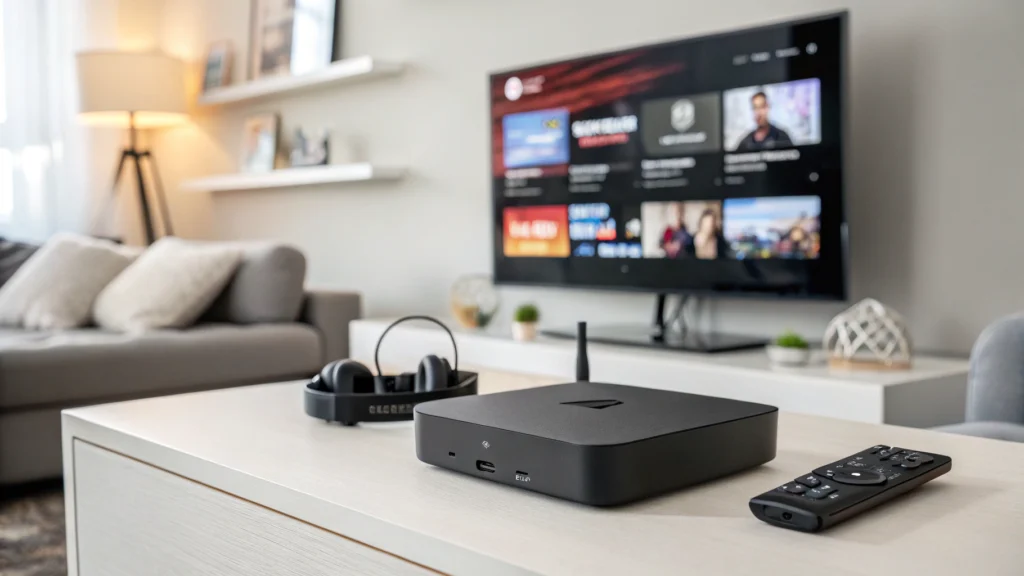
An IPTV box connects to your TV and internet, allowing you to stream television channels and on-demand content over your internet connection instead of through traditional cable or satellite. The right box can transform your viewing experience with access to thousands of channels, movies, and shows from around the world.
Key Features to Look for in an IPTV Box
Processing Power and Memory
Just like a computer, your IPTV box needs enough power to run smoothly:
- Processor: Look for at least a quad-core processor for smooth streaming without buffering
- RAM: 2GB is the minimum for decent performance; 3GB or more is better for multitasking
- Storage: 8GB minimum internal storage, with the option to expand via USB or SD card
Operating System and Software
The operating system determines what apps you can run and how user-friendly your experience will be:
- Android-based systems offer flexibility with access to the Google Play Store
- Proprietary systems (like those in MAG boxes) often focus specifically on IPTV performance
- Regular updates ensure security and compatibility with the latest streaming technologies
Connectivity Options
More connection options mean better flexibility:
- Wi-Fi: 5GHz support provides faster, more reliable streaming than 2.4GHz alone
- Ethernet port: A wired connection offers the most stable streaming experience
- HDMI: For connecting to your TV (HDMI 2.0 supports 4K content)
- USB ports: For connecting external storage or peripherals
- Bluetooth: For connecting wireless keyboards, headphones, or game controllers
Video and Audio Capabilities
Picture and sound quality matter for an immersive experience:
- Resolution support: 4K capability future-proofs your purchase
- HDR compatibility: For better contrast and more vibrant colors
- Audio formats: Support for Dolby Digital, DTS, or other advanced audio formats
Remote Control and User Interface
These affect your daily interaction with the device:
- Intuitive remote: With shortcut buttons for frequently used features
- Voice control: Makes searching for content easier
- User-friendly interface: Clean, responsive menus that are easy to navigate
Comparison of Top IPTV Boxes
| Feature | Formuler Z8 | BuzzTV XR4000 | MAG 324 | MAG 322 |
|---|---|---|---|---|
| Processor | Quad-core | Quad-core | Dual-core | Dual-core |
| RAM | 2GB | 4GB | 1GB | 1GB |
| Storage | 16GB | 32GB | 8GB | 8GB |
| OS | Android 7.0 | Android 9.0 | Linux-based | Linux-based |
| 4K Support | Yes | Yes | No | No |
| Wi-Fi | Dual-band | Dual-band | Single-band | Single-band |
| Special Feature | MyTVOnline2 app | Gaming support | Stalker Middleware | Stalker Middleware |
| Price Range | $$$$ | $$$ | $$ | $ |
| Best For | IPTV enthusiasts | Power users | Basic IPTV use | Budget option |
IPTV Boxes vs. Android TV Boxes: Understanding the Difference
Many people confuse IPTV boxes with regular Android TV boxes, but there are important differences to understand:
Dedicated IPTV Boxes (like MAG)
- Purpose-built specifically for IPTV streaming
- Optimized software designed primarily for television viewing
- Stalker Middleware or similar IPTV-focused interfaces
- Often more stable for IPTV services but less versatile overall
- Portal-based approach to connecting to IPTV services
Android TV Boxes with IPTV Capabilities (like Formuler or BuzzTV)
- Multi-purpose devices that can run various apps and games
- Access to app stores for downloading additional applications
- Greater flexibility for using different IPTV apps and services
- Regular updates through the Android ecosystem
- Can use both app-based and portal-based IPTV services
The key takeaway: dedicated IPTV boxes excel at one thing – delivering IPTV content reliably. Android TV boxes that support IPTV offer more flexibility but might not be as streamlined for the pure IPTV experience.
Setting Up Your IPTV Box: The Basics
Once you’ve chosen your IPTV box, setup is relatively straightforward:
- Connect to your TV using an HDMI cable
- Connect to the internet via Wi-Fi or (preferably) Ethernet cable
- Power up and follow the on-screen setup instructions
- Install your IPTV app or enter your IPTV portal details
- Enter your subscription credentials provided by your IPTV service
Remember that the IPTV box is the hardware – you’ll still need a subscription to an IPTV service to access content.
Frequently Asked Questions
Do I need a VPN with my IPTV box?
While not strictly necessary, a VPN can provide additional privacy and potentially prevent bandwidth throttling from your internet service provider. Some IPTV services also work better when accessed through a VPN.
Can I use Netflix and other streaming services on an IPTV box?
It depends on the box. Android-based IPTV boxes typically support major streaming apps like Netflix and YouTube. Dedicated IPTV boxes like MAG devices are more limited and focus primarily on IPTV services.
What internet speed do I need for a good IPTV experience?
For HD content, a minimum of 10 Mbps is recommended. For 4K content, aim for at least 25 Mbps. Having faster speeds provides a buffer against network fluctuations.
Can I record shows with an IPTV box?
Many IPTV boxes support recording, but you’ll need external storage like a USB drive. Some IPTV services also offer cloud recording features, depending on your subscription.
Are IPTV boxes legal?
The IPTV box itself is perfectly legal – it’s just hardware. The legality depends on the content you access and the services you subscribe to. Always use legitimate, properly licensed IPTV services.
Conclusion
Choosing the right IPTV box comes down to understanding your specific needs. If you’re primarily interested in a dedicated IPTV experience, MAG boxes offer reliable, purpose-built solutions. For more flexibility with apps and features, Android-based options like the Formuler Z8 or BuzzTV XR4000 provide excellent all-around performance.
Remember to consider not just the price, but the processing power, connectivity options, and user interface that will make your daily viewing experience enjoyable. With the right IPTV box and a quality service subscription, you can enjoy a world of entertainment right at your fingertips.
